Jeon Sang-wook·Moon Hye-young Samsung Electronics Wireless Division Pro Interview
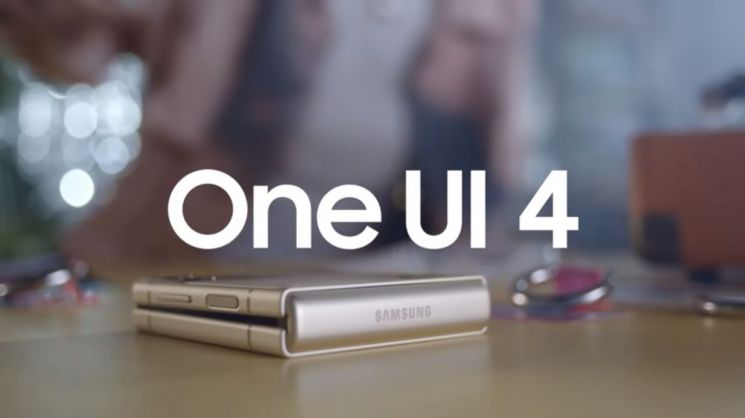
[Asia Economy Reporter Eunmo Koo] “Your Galaxy, Your Way! One UI 4 connects all user experiences so that everyone can use their Galaxy in their own way.”
Samsung Electronics’ ‘Galaxy Z Flip3,’ which led the foldable phone craze in the second half of the year, is a product that fully embraces the recent trend of valuing individuality. It broke away from the BAR-type smartphones that have lasted over 10 years, challenged a new form factor, and introduced the concept of a customizable smartphone that can be designed in desired colors. Building on this, it ignited the ‘phone decoration’ trend, where users personalize their phones with various cases and stickers, helping Samsung shed its ‘dad phone’ image and become a phone brand for the MZ generation (Millennials + Generation Z).
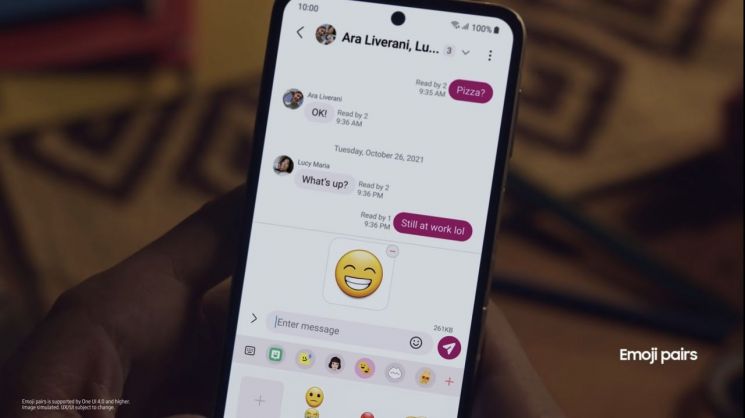
Samsung’s approach to creating a personalized Galaxy goes beyond just customizing the exterior. They also focused on software improvements to reflect users’ tastes and preferences in the user interface (UI), which users spend most of their time with. Samsung’s Wireless Business Division’s engineers Sangwook Jeon and Hyeyoung Moon emphasized in an interview with Asia Economy on the 9th that the latest UI, One UI 4, is a thoughtful UI that respects users’ individuality and choices without neglecting them.
Color Palette Changes UI to Match Wallpaper Tone and Manner
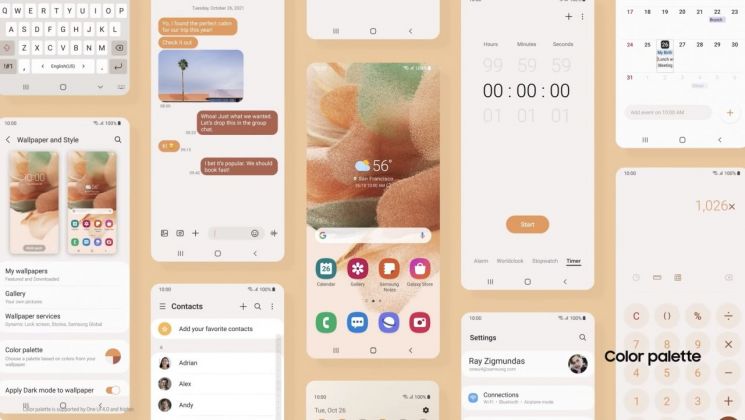
A representative feature is the ‘Color Palette,’ which extracts the optimal color combination from the wallpaper selected by the user and changes the UI colors accordingly. Recognizing that giving users unlimited control can make it difficult to achieve the desired design outcome, a few personalized UI options are presented based on the wallpaper, allowing users to choose from them. Moon, who is in charge of interface design in the UX team, explained, “We believe the wallpaper chosen by the user contains the tone and manner they want, so we designed the UI to extract the most suitable color combination when applied.”

Of course, the update preparation process was not smooth. Jeon, who is responsible for software development in the Framework R&D group, said that developing the Color Palette feature was challenging until the very end. He explained, “Technically, there were differences between how Google implements ‘Material You’ in Android 12 UI and how Samsung implements One UI, so aligning these was necessary.” He also mentioned that many points required consultation with Google to provide a consistent experience across third-party apps and the entire Android device for the same wallpaper.
As the original developer of Samsung’s Theme service, he said, “While developing the Material You concept introduced in Android 12 to fit One UI, we focused on providing a consistent experience across third-party apps on Android devices through close discussions with Google. I personally have high expectations because Material You has laid the foundation to expand Samsung’s theme features beyond Samsung apps to Google apps like Gmail and third-party apps.”

In addition to improving visual aesthetics, the update also focused on enhancing intuitiveness by using colors to provide comfortable usability. Previously, each application was assigned a separate color to give it identity and distinguish it. However, in One UI 4, the same color is applied to apps or functions with consistent meanings so that users can intuitively recognize colors. For example, red is applied to buttons like delete, stop, and reject to emphasize them.
Moon explained, “After the pandemic, reports showed increased screen time and higher eye fatigue. We readjusted the number of colors so information can be comfortably and easily recognized, unified colors with the same meaning to enhance intuitiveness, and finely tuned font spacing and contrast so important information stands out first.”
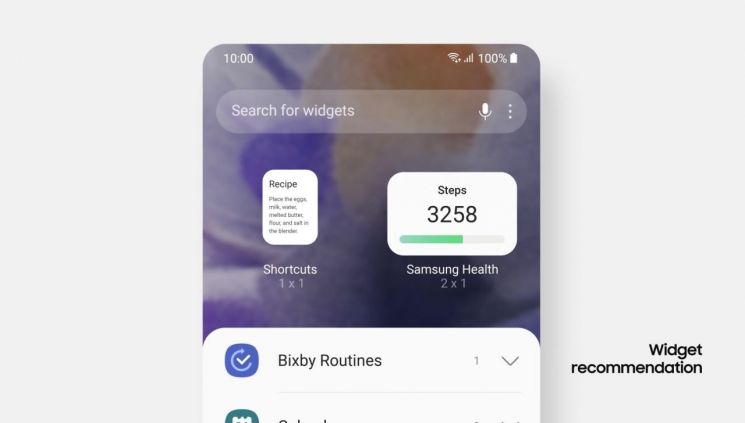
Moon also highlighted the improved completeness of home screen widgets in this update as a noteworthy aspect. It allows apps with various uses to be presented on one screen in a well-organized atmosphere with consistent visual language. He said, “I am particularly fond of the ‘Month and Today’ widget added to the calendar app, which has a high widget usage rate. There is a strong desire to decorate the home screen with widgets, and this will be useful for quick schedule checks.”
"User Benefit is the Top Priority"
Both engineers agreed that One UI has been able to advance step by step thanks to user feedback. Samsung collects diverse user feedback through ‘Samsung Members’ and delivers it to the responsible development teams based on the content. Simple bugs are fixed immediately and applied to the next beta version, while suggestions for feature improvements or new ideas are reviewed by related departments from the user perspective to decide whether and when to adopt them.
Jeon emphasized that the most important consideration when reviewing feedback is how beneficial it is from the user’s perspective. He said, “We cannot satisfy all users, but we do our best to review feedback from the perspective of general users and reflect it in the next beta.”
Both stated that they will continue to develop and improve One UI to deliver more advanced and open experiences to Galaxy phone users. Moon said, “Changes within the UI may be difficult for users to notice all at once, but we will continuously raise the completeness through small changes to provide the best experience.”
This update began with the ‘Galaxy S21’ series on the 16th of last month and will sequentially support the ‘Galaxy S20’ and ‘Galaxy Note20’ series, foldable models like the ‘Galaxy Z Fold3,’ and tablet products.
© The Asia Business Daily(www.asiae.co.kr). All rights reserved.
![Clutching a Stolen Dior Bag, Saying "I Hate Being Poor but Real"... The Grotesque Con of a "Human Knockoff" [Slate]](https://cwcontent.asiae.co.kr/asiaresize/183/2026021902243444107_1771435474.jpg)