Improved Camera Features... Clear Shots from Telephoto to Ultra-Wide Lenses for Both Distant and Close Subjects
Optimized Shooting for Objects and Spaces... Food Looks Tastier, People Stand Out More
Charger and Earphones Removed, Some Specs Lowered but Offset by Lower Price
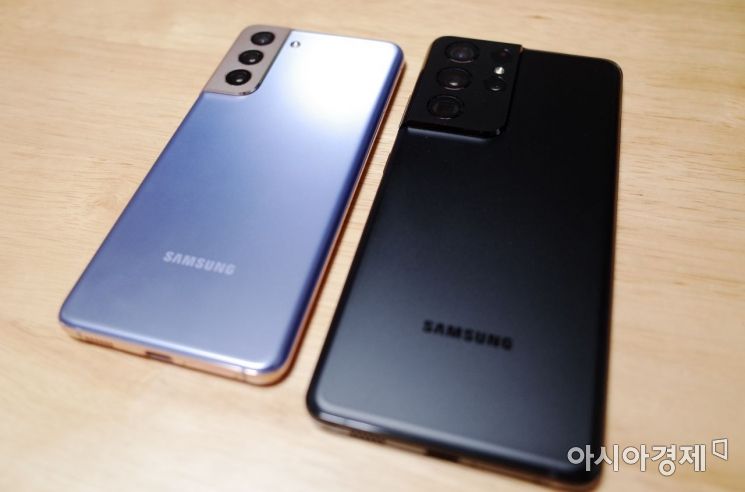 Rear view of the Galaxy S21 and Galaxy S21 Ultra. The rear design has been significantly improved compared to the previous model, and the camera connection to the side has also somewhat reduced the rattling issue.
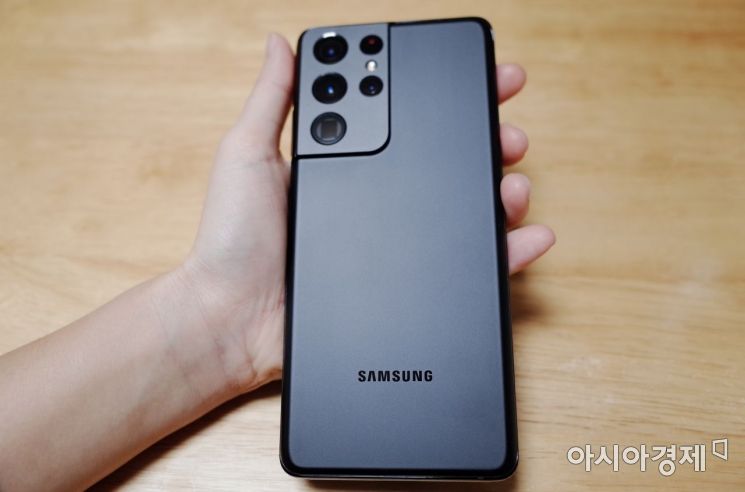 Galaxy S21 Ultra Phantom Black. Both the camera and the back are matched in matte black color, giving a sophisticated impression. The back material is Gorilla Glass Victus.
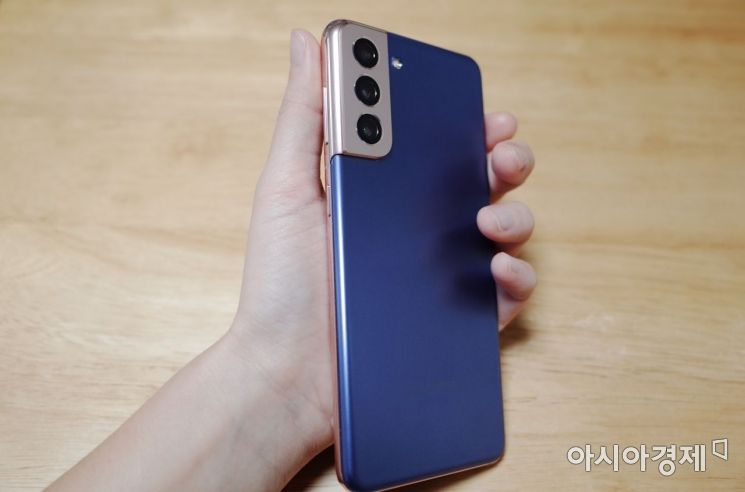 Galaxy S21 Phantom Violet. The sides are rose gold, and the back is violet, creating a harmonious design and color with the camera. It features a 6.2-inch screen, comfortable for women to hold in one hand.
[Asia Economy Reporter Han Jinju] Although smartphone cameras have long replaced digital cameras, using the Galaxy S21 seems to further reduce the need to take out a digital camera. This is because it is equipped with various features that allow you to switch between telephoto, wide-angle, and ultra-wide lenses.
The Galaxy S21 is notable for its rear camera being connected to the side frame, which is a fresh design. The rear features a matte haze material similar to the Galaxy Note20, which reduces fingerprint smudges. Breaking the formula of "flagship = glass back," the Galaxy S21 uses a plastic material, but when placed side by side with the Ultra model that applies Gorilla Glass Victus, it was difficult to distinguish between them. Despite the change in material, the weight increased by 6 to 14 grams compared to the previous model.
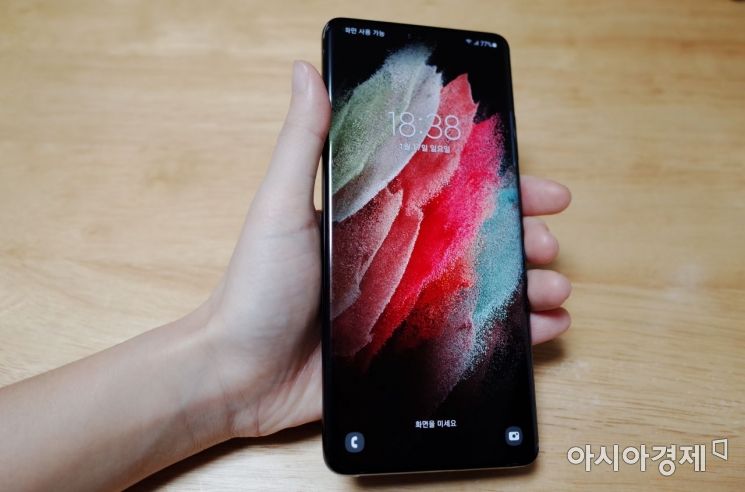 The Galaxy S21 Ultra features a 6.8-inch display and uses Gorilla Glass Victus on both the front and back.
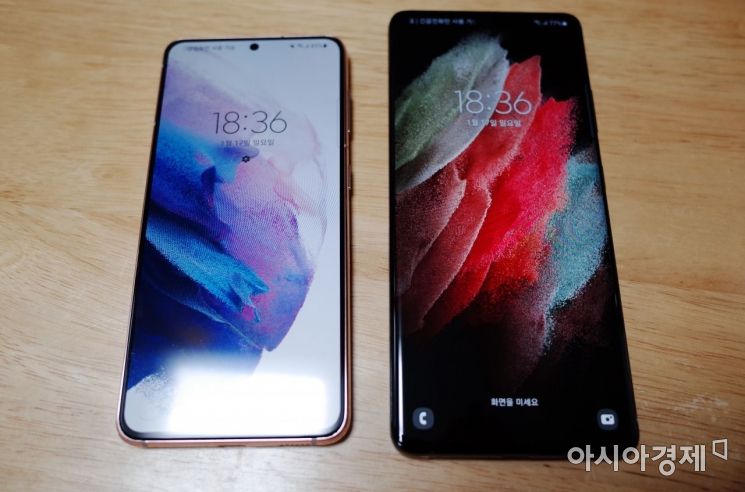
After using the Galaxy S21 and Ultra models for several days, the camera features were the most satisfying. Close objects were captured with macro, and distant subjects remained clear even when zoomed in. The newly introduced 'Director's View' feature shows multiple camera angles simultaneously while recording video, allowing users to select the desired lens, and it also supports simultaneous front and rear camera shooting.
While the Ultra model had a drawback of poor focus, starting with the Galaxy S21, it automatically switches to ultra-wide angle, capturing nearby objects clearly. When focusing separately on a strawberry placed at the front of a plate and a fork behind the plate, the photo results were distinctly different. The ‘Zoom Lock’ feature, which compensates for increased sensitivity to hand shake at higher zoom levels, stabilized images even at 20x zoom, making it useful for capturing distant subjects.
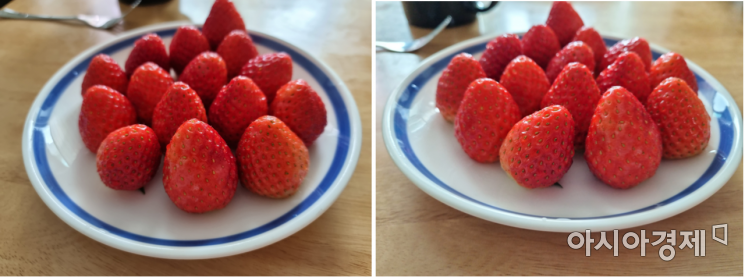 A photo of a plate filled with strawberries taken with the Galaxy S21 Ultra (left) and the Galaxy S21.
 Galaxy S21 Ultra (left) and Galaxy S21 (right) night mode photos of a store exterior in Yeonnam-dong.
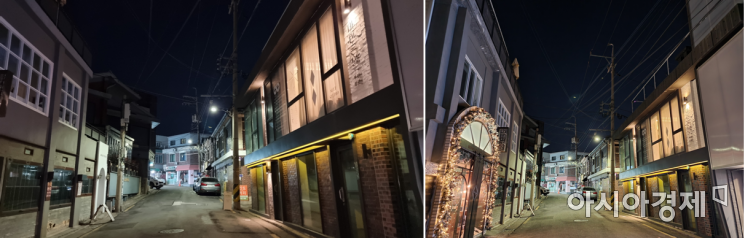
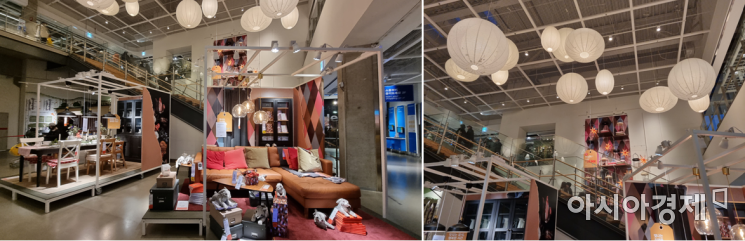
Thanks to the feature that recognizes objects and spaces to select the optimal shooting mode for each scene, food appeared more appetizing and homes looked warmer. When shooting a showroom at an IKEA store, it was recognized as a ‘home,’ and artificial flowers were identified as ‘flowers,’ naturally adjusting the colors. The portrait mode was also improved; when focusing on a doll or cup in the showroom, the background blurred, giving a sense of deeper depth of field. When shooting a Vietnamese restaurant with vibrant colors in night mode, clear photos were obtained even with the Galaxy S21.


The experimental 'Object Eraser' feature is also useful. When editing a photo, activating the 'Labs' feature at the top and then tapping the eraser icon at the bottom allows you to remove unwanted pedestrians or objects. The area is automatically selected with just a touch, and the clearer the subject’s edges, the better it is identified. However, after erasing, the background often becomes blurry or smudged, indicating that further improvements are needed.
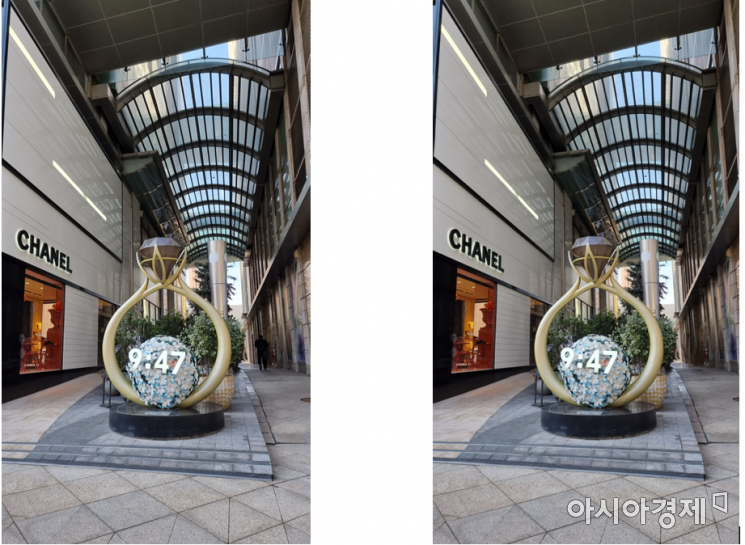 In a photo taken at Myeongdong Lotte Department Store, the building became blurry after erasing the pedestrian on the right using object removal.
The Galaxy S21 reduces eye strain thanks to its automatic adjustment of display refresh rate and blue light. The previous model only allowed choosing between 60Hz or 120Hz refresh rates and consumed battery quickly, but this series adjusts the refresh rate according to the content. The Galaxy S21 adjusts between 48 and 120Hz, while the Ultra model adjusts between 10 and 120Hz. Activating the ‘Comfortable Screen Viewing’ feature, which adjusts blue light, makes the screen yellowish when watching videos before sleep, reducing eye strain.
The Galaxy S21 and S21+ have downgraded RAM and display compared to the previous generation. Starting with this series, only the cable is provided instead of a charger and earphones, so the charger must be purchased separately. Nevertheless, the price, which is about 250,000 KRW cheaper than the previous model, is sufficient to offset the missing parts.
© The Asia Business Daily(www.asiae.co.kr). All rights reserved.