Cover Screen Enlarged and Notch Removed... Increased Usability
Fixed at Desired Angles for Easy Video Viewing and Photo Shooting
Supports Running 3 Apps and Drag-and-Drop Image Pasting
Camera Bump and Weight Are Drawbacks... Expected to Replace Note if S Pen Added
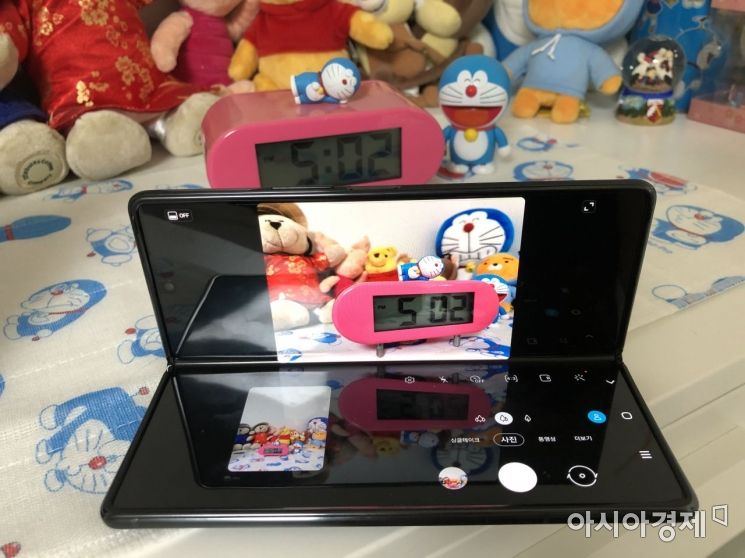 The Galaxy Z Fold2 has added a 'Flex Mode' that allows you to fix the phone at your desired angle. When you set the phone upright between 75 and 115 degrees, you can take photos from the top screen and change settings or compare with previously taken photos on the bottom screen.
 The cover screen size has increased from 4.6 inches to 6.2 inches, providing a much more comfortable experience. As the bezel has been reduced, the screen has grown larger, and although the width is slightly longer, it fits perfectly in one hand when folded.
[Asia Economy Reporter Han Jinju] The Galaxy Z Fold2 has overcome the shortcomings of its predecessor in just one year and returned. Whether unfolded or folded, you can browse the web or watch videos across the screens. You can fix it at the desired angle to watch YouTube videos or take photos, offering 'freedom for both hands.'
The first thing that caught my eye when I saw the Galaxy Z Fold2 was the change in the cover screen. The thick bezel at the top disappeared. Thanks to the larger 6.2-inch screen, web surfing is much more comfortable. Although the width has become slightly longer than the previous model due to the bigger screen, it fits perfectly in one hand when folded. It’s not just about folding; you can use multiple screens for various purposes. Even if you fold it while watching a video unfolded, the video continues on the cover screen. You can activate the 'Continue apps on cover screen' mode in settings and select applications like Messages, Camera, Gmail, YouTube, and Microsoft (MS) Office that you want to keep using even when closed.
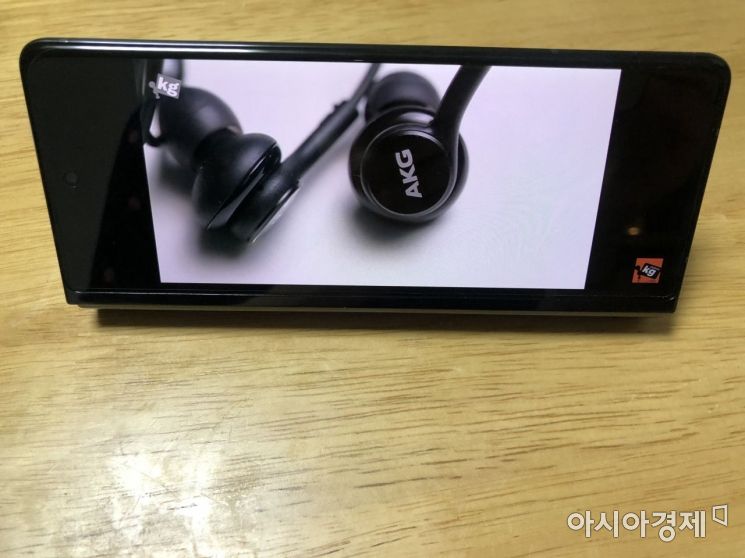
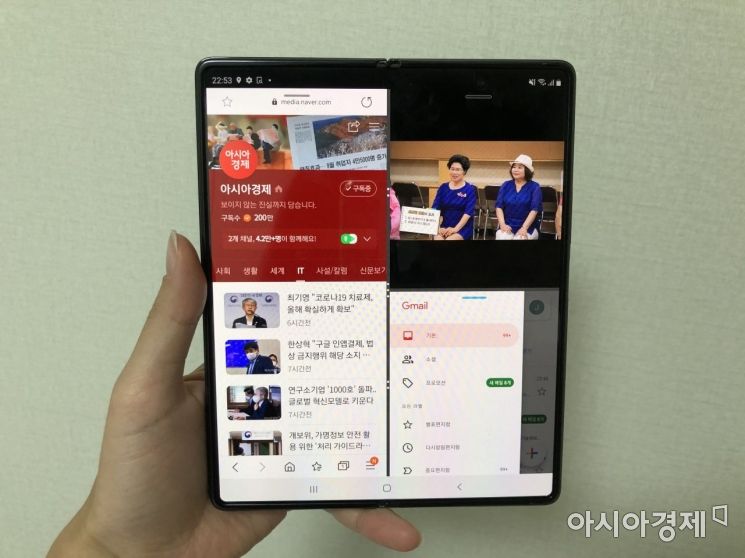 You can use 'Multi Window Active' to run three apps simultaneously, allowing you to use apps like YouTube, Internet, and Gmail at the same time. You can also adjust the screen size and change the arrangement order as you wish.
Thanks to the sturdier hinge, which is more than just folding or unfolding, you can fix the phone at the desired angle. This feature is called 'Flex Mode.' When you stand the phone between 75 and 115 degrees, you can take photos from the top and compare them with previously taken photos at the bottom. The function of using the cover screen as a viewfinder while taking pictures with the rear camera is also very useful. The 'Dual Preview' feature, which allows both the person taking the photo and the person being photographed to see the shot simultaneously, has also been added.
Multitasking like a tablet PC is also possible, reducing the hassle of having to open this app and that app. You can set a layout that splits the screen in half like a tablet PC, showing the menu on the left and content on the right. Using the 'Multi Window Active' feature that runs three apps simultaneously, you can use apps like YouTube, internet, and notes at the same time. This is useful when comparing products during online shopping or searching for something while watching YouTube videos. The function of switching between two apps to paste captured photos or dragging and dropping work results from office apps like Excel to attach them to emails is especially welcomed by office workers.
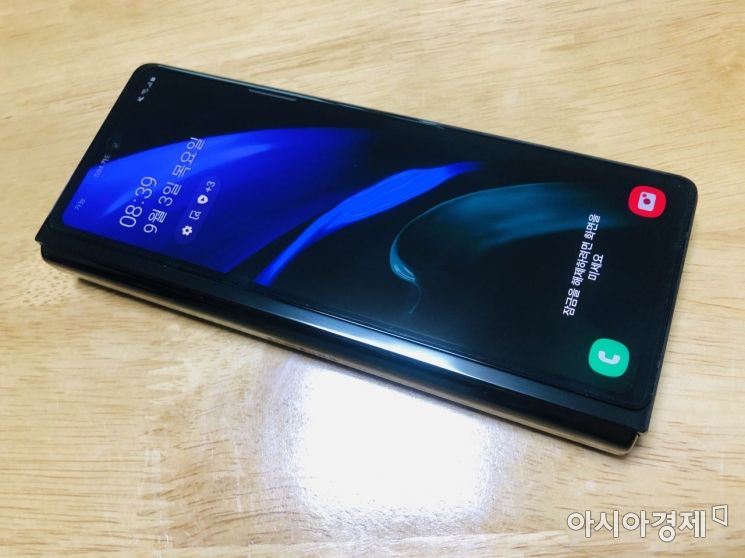 The front camera on the cover screen has been moved to the top center and changed to a punch-hole design, making it much more comfortable.
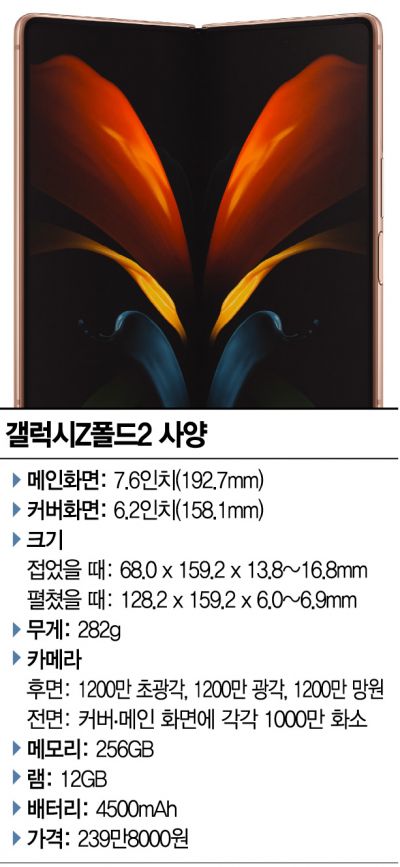
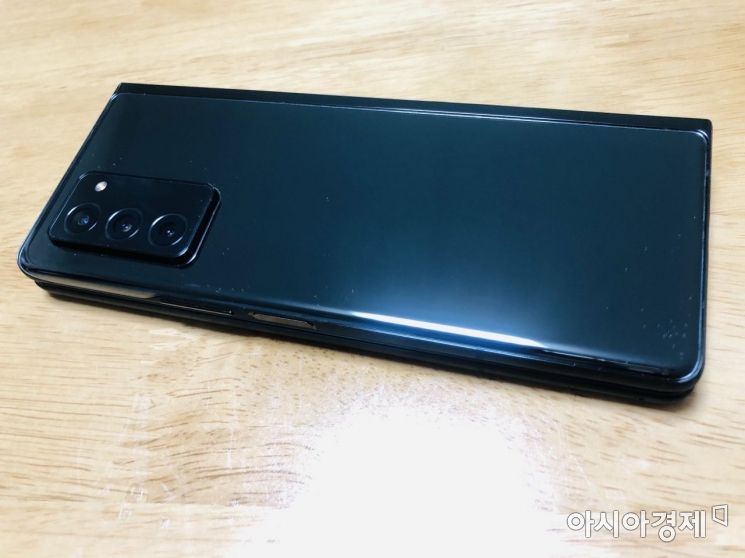 The rear camera bump has become more pronounced than the previous model. Like the Galaxy S20 and Note20, the camera was emphasized, but the specifications have slightly downgraded to a 12MP triple camera compared to the previous model.
This time, the Galaxy Z Fold2 has a more pronounced 'camera bump' than its predecessor. When unfolded and used, the horizontal alignment is off, so using a case is essential. The lower camera and memory specifications are also factors to consider. Moreover, it is more than 80g heavier than a regular smartphone, which can put some strain on the wrist when used with one hand.
Despite improvements in the screen and hinge, Samsung has set the price at 2.39 million won, the same as the previous model, showing efforts to lower the entry barrier for foldable phones. Although it is more than 1 million won more expensive than a regular smartphone, it is worth the price. Those who prefer large screens or existing Fold users should consider it. The Fold series is Samsung’s alternative to the Note. If the S Pen is added, it could maximize usability and establish itself in a different realm from tablet PCs.
© The Asia Business Daily(www.asiae.co.kr). All rights reserved.