Samsung Wallet App Update Introduces Sequential Function Support
Available Starting with Woori Bank... Expansion to More Banks by Year-End
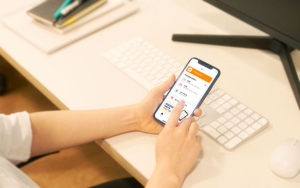
Samsung Electronics announced that it will introduce the 'Tap Transfer' feature in Samsung Wallet starting from the 10th. This feature allows Galaxy smartphone users with Samsung Wallet to transfer money by simply tapping the backs of their devices together.
The transfer is made based on Near Field Communication (NFC) embedded in the smartphone, and the feature will be supported sequentially through app updates of Samsung Wallet.

The advantage is that the process of asking for or entering the recipient's account number can be omitted during the transfer. Users who want to transfer money ▲ enter the password for the account registered in Samsung Wallet ▲ input the transfer amount ▲ tap their smartphone against the recipient’s device, and then complete the transfer after security authentication such as fingerprint recognition.
The recipient’s account number transmitted during the tap transfer process is encrypted and delivered to the sender. On the Samsung Wallet screen of the actual sender, only the last four digits of the recipient’s phone number appear instead of the account number.
The recipient can receive 'Tap Transfer' payments even when the phone screen is off by setting a primary account to receive transfers.
The Samsung Wallet 'Tap Transfer' feature is initially supported by Woori Bank. Samsung Electronics plans to expand the feature to major domestic banks by the end of this year.
A Samsung Electronics representative said, "The Samsung Wallet 'Tap Transfer' feature is expected to be used in moments requiring account transfers, such as Dutch pay, direct transactions of secondhand goods, and giving allowance to children," adding, "We will continue to expand highly practical features such as adding accounts, ATM deposits and withdrawals, and transfer services so that users can easily enjoy convenient mobile financial life with Samsung Wallet."
© The Asia Business Daily(www.asiae.co.kr). All rights reserved.