[Asia Economy Reporter Seungjin Lee] AhnLab has discovered multiple cases of malicious document files disguised as various contents such as ‘Uljin Wildfire Damage Donation Receipt,’ ‘COVID-19 Confirmed Cases and Cohabitant Notice,’ and ‘Product Introduction Catalog’ throughout March, urging users to exercise caution.
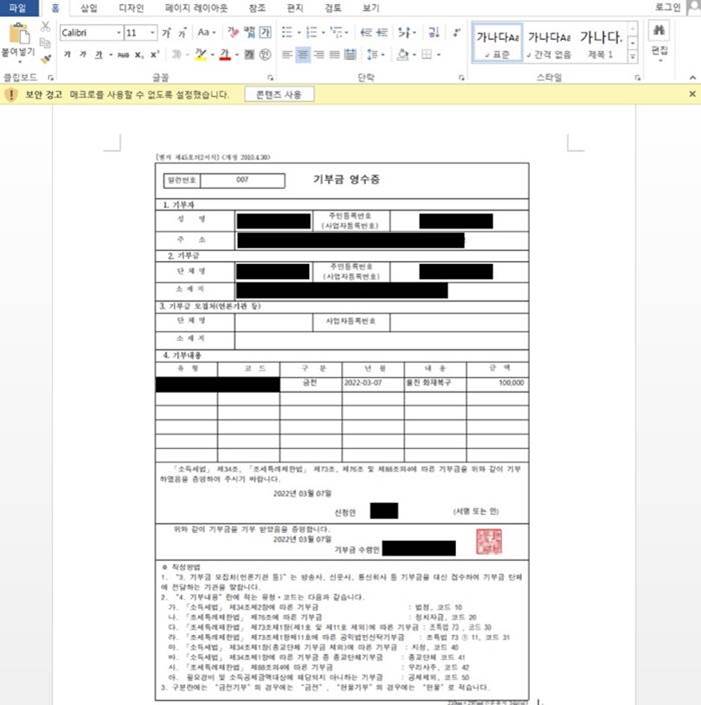
AhnLab found malicious document files exploiting the ‘Uljin Wildfire’ that occurred in March. The attacker used a commonly used donation receipt format, inserting the phrase ‘Uljin Fire Recovery’ and an arbitrary donation amount to avoid user suspicion. The file contains a malicious macro, which causes a ‘Enable Content’ button to appear at the top of the document when the file is opened. If the user inadvertently clicks the ‘Enable Content’ button, the malicious macro activates, secretly connecting to a malicious URL to download additional malware and perform other malicious activities.
Malicious document files disguised as ‘COVID-19 Confirmed Cases and Cohabitant Notice’ were also discovered. When a user opens such a file, the legitimate notice content appears. Simultaneously, a malicious script runs covertly, downloading and executing malware on the user’s PC. This malware connects to a specific URL to carry out further malicious actions.
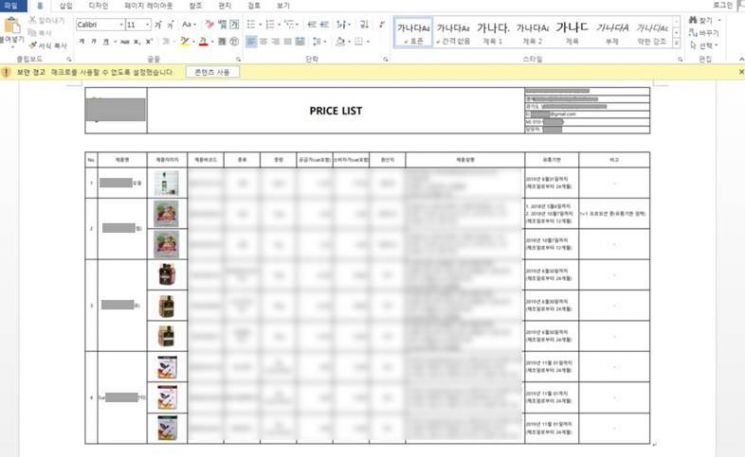
Malicious files in the form of product introduction catalogs for certain companies have also been distributed, requiring caution. When opening a malicious document file disguised as a ‘Product Introduction Catalog,’ the catalog content appears along with an ‘Enable Content’ button at the top. If the user clicks the ‘Enable Content’ button, the system is immediately infected with malware. After infection, the malware can perform malicious activities such as stealing information from the user’s PC under the attacker’s command. Because the catalog contains actual product introductions from real companies, users may find it difficult to recognize the malware infection.
Currently, the V3 product line detects and blocks the execution of all these malicious files. To prevent damage, users should follow security guidelines such as ▲not downloading, opening, or clicking the ‘Enable Content’ button on document files from unknown sources ▲applying the latest security patches to office software, operating systems, and internet browsers (IE, Chrome, Firefox, etc.) ▲maintaining the latest antivirus version and enabling real-time monitoring features.
Yang Hayoung, team leader of AhnLab’s analysis team, said, “Attackers actively use topics related to specific periods that attract significant user interest to distribute malware. Therefore, to prevent damage, users should not recklessly open document files from unknown sources and should refrain from clicking the ‘Enable Content’ button even if they open such files, adhering to basic security guidelines.”
© The Asia Business Daily(www.asiae.co.kr). All rights reserved.