Create Widgets with Weather and Photos on Home Screen
Move Infrequently Used Apps to App Library
FaceTime and Video Multitasking Available with Picture-in-Picture
Ad Tracking Block Feature Delayed Until Early Next Year
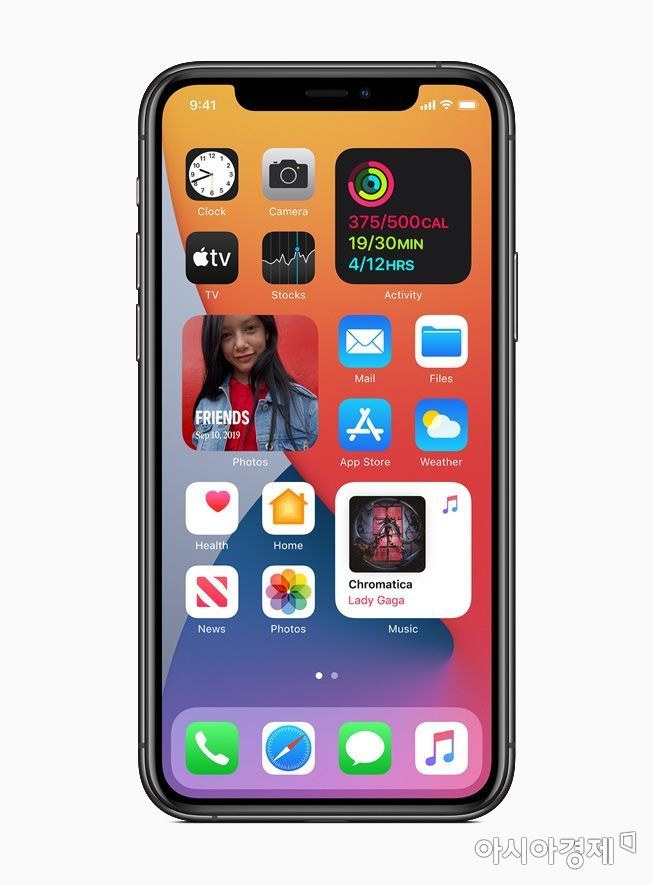
[Asia Economy Reporter Han Jinju] Apple has begun distributing the latest version of the iPhone mobile operating system, iOS 14. Users can now display widgets such as battery status or photos on the home screen, and apps can be separately stored in the App Library.
On the 16th (local time), Apple announced the release of iOS 14 and stated that the update is supported from iPhone 6s onwards. Devices that supported iOS 13 can install iOS 14.
Create Widgets for Battery and Weather
The home screen, which previously only allowed icon arrangement, has undergone a major change. Home widgets were first introduced in iOS 14, allowing users to place widgets wherever they want. By creating a Smart Stack on the home screen, users can make widgets for battery, calendar, clock, weather, files, music, notes, news, photos, notifications, stocks, podcasts, and more.
A new 'App Library' feature has been added at the end of the home screen pages, allowing users to separately store apps that are not frequently used. It automatically categorizes and organizes all apps stored on the iPhone to help users find them quickly.
With the introduction of the 'Picture in Picture (PIP)' feature in iOS 14, users can watch calls, FaceTime, or videos in a small window. While viewing FaceTime or videos in a small popup, users can run other apps on the iPhone to perform necessary tasks.
The full-screen incoming call and Siri screens have also changed. When a call comes in, it no longer appears in full screen but changes to a small call banner at the top, allowing users to answer or decline the call without stopping what they are doing. Siri appears as a small banner at the bottom of the screen. However, it is not possible to use other apps simultaneously while Siri is active.
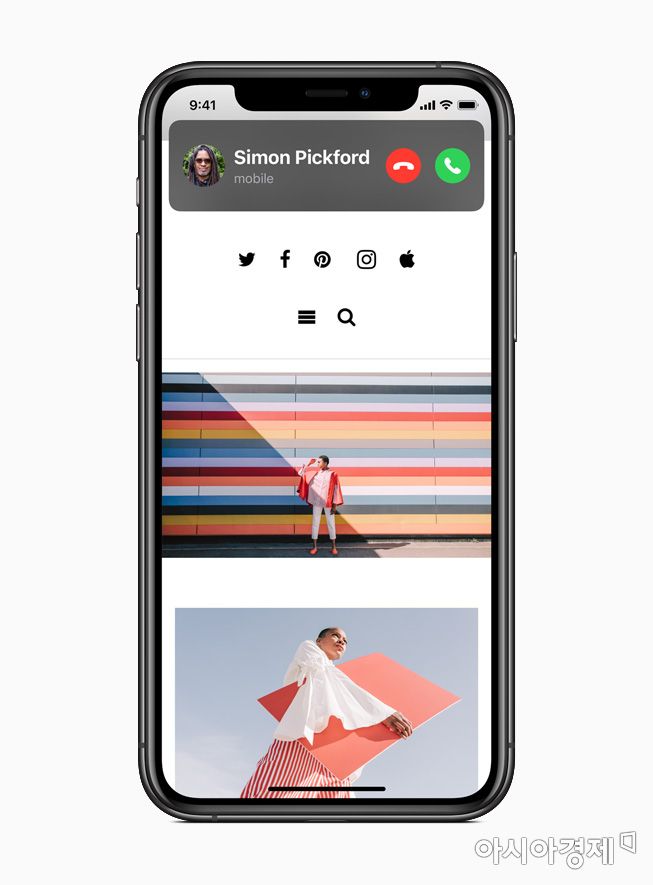 In iOS 14, the incoming call screen no longer covers the entire screen but is displayed as a small banner at the top.
Emoji Search Now Available... Introduction of Ad Tracking Blocking Deferred
The inconvenience of swiping left and right to find the needed emoji has disappeared. An emoji search bar has been added, allowing users to search for emojis by shape, expression, state, or words representing objects. Along with this, the iMessage app in iOS has added features to pin conversations at the top and a 'mention' feature that allows users to reply by mentioning specific people.
The 'App Clip' feature, which allows users to download only certain desired functions from an app, has also been introduced. It enables quick use of necessary functions linked to specific products or services, such as purchasing coffee or paying parking fees. It can be accessed by scanning NFC, QR codes, or App Clip codes. The app translation feature has also been significantly enhanced. Translation functions can now be used offline. Voice and text translation are available in 11 languages, including Korean.
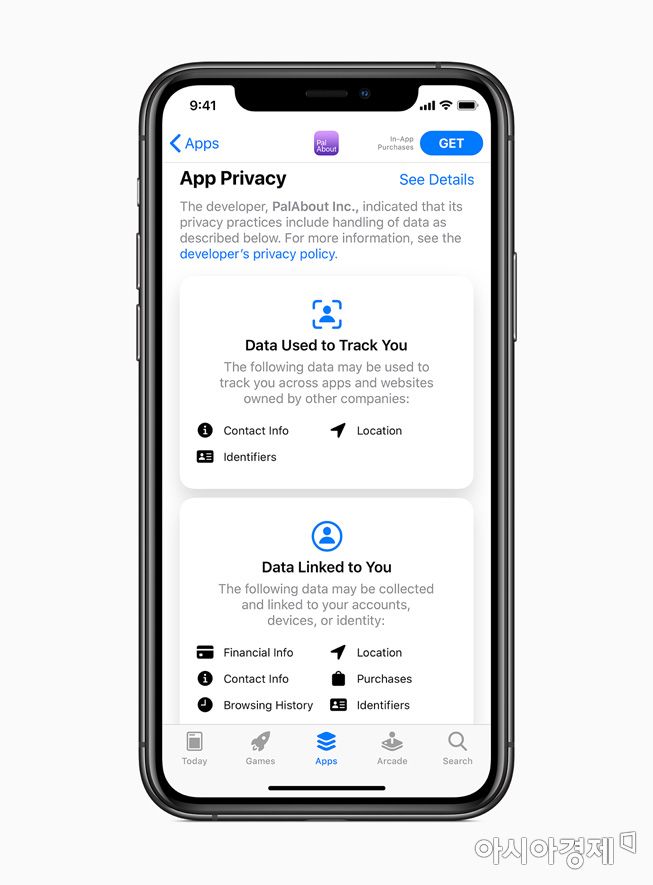 iOS 14 allows apps to be granted permission to access the user's location information by sharing a 'approximate location' instead of an 'exact location'.
Privacy protection features have also been improved. When granting apps permission to access user location information, users can choose to share 'approximate location' instead of 'precise location.' Each app's privacy policy is now disclosed on its page within the App Store.
The introduction of a feature to block advertiser tracking has been deferred. Apple assigns a unique identifier called IDFA to each device, which advertisers use to track iPhone and iPad users' search activities and app usage records to deliver personalized ads. Starting with iOS 14, apps were supposed to obtain user permission before collecting IDFA, but due to opposition from advertisers, the implementation of this feature has been postponed until early next year.
© The Asia Business Daily(www.asiae.co.kr). All rights reserved.
![Clutching a Stolen Dior Bag, Saying "I Hate Being Poor but Real"... The Grotesque Con of a "Human Knockoff" [Slate]](https://cwcontent.asiae.co.kr/asiaresize/183/2026021902243444107_1771435474.jpg)