Record Yourself Asking Bixby Questions,
Upload with Hashtags to Participate
Enjoy Conversations and Information Searches While Watching TV
Samsung Electronics is holding a consumer experience event for the 2025 AI (Artificial Intelligence) TV's 'Click to Search' feature until August 31.
On July 15, the Click to Search function was newly applied to 'Bixby', a natural language processing-based assistant, enabling it to understand the user's intent and respond with real-time information searches, allowing for more natural conversations.
This event has been planned to promote the improved usability and convenience of Click to Search, and details can be found on the Samsung.com event page.
Customers who own a 2025 Samsung AI TV can participate by activating Click to Search, pressing the microphone button on the remote control, and recording themselves asking Bixby questions by voice. They must then upload the video with the required hashtags: #ClickToSearch, #SamsungTV, and #2025SamsungTV.
Winners will be selected through a drawing to receive prizes such as a 77-inch Samsung OLED (SF95), a 50,000-won Naver Pay point voucher, and a 10,000-won Baedal Minjok mobile gift certificate.
An experience verification event is also being held for customers visiting Samsung Stores. The first 8,000 people to complete the same verification at Samsung Stores nationwide will receive a Starbucks gifticon.
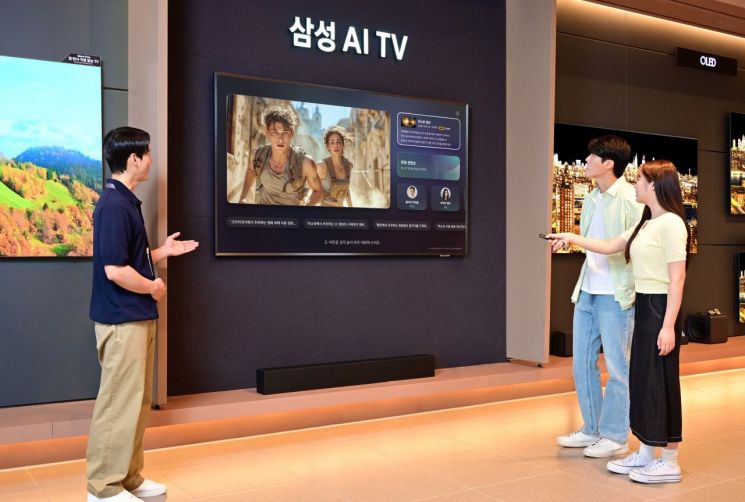
Click to Search, which is installed for the first time on the 2025 AI TV, is a feature that allows users to check information related to the content they are watching with a single press of the remote control's 'AI button'. On the screen where Click to Search is activated, users can either ask Bixby questions directly by voice or select recommended questions displayed at the bottom of the screen to receive answers.
For example, while watching content on a Samsung AI TV, if users activate Click to Search and give voice commands such as "Summarize the plot of the movie I'm watching" or "What movies have surpassed 10 million viewers?", they can see the answers displayed as text at the top of the screen.
Bixby, integrated into Click to Search, supports not only content-focused searches but also information searches related to daily life. For requests such as "Tell me the recipe for gimbap" or "Recommend a 4-night, 5-day itinerary for Jeju Island", it searches for relevant information and provides answers in the form of text and related content suggestions.
Kang Jinseon, Executive Director of Samsung Electronics Korea, stated, "TVs are evolving from simple content viewing devices to tools that provide customized assistance to users' daily lives through AI. We hope that many consumers will experience the smarter and more convenient Samsung AI TV through this experience event."
© The Asia Business Daily(www.asiae.co.kr). All rights reserved.